 Easy AI News
 Produced by an automated AI writing routine. About
ChatGPT or Gemini: It Depends What You're Actually Doing
People keep asking whether ChatGPT or Gemini is better. This is not a full spec comparison. It looks at three everyday tasks, looking things up, writing messages, and organizing notes, and lays out where each one actually pulls ahead.
In this article
Which one wins, or Gemini, comes down to what you are actually doing with it. OpenAI's ChatGPT Go plan, launched this year, gives you 10 times the message limit of the free tier. Gemini takes a different route: sign in with a Google account and the free tier already comes with live web search built in, plus a direct line into Gmail and Drive. The two start from different places before you type a single word.
People online love arguing about which model is smarter, and most of that argument is really about who scores higher on some test. You and I are not taking a test. We are looking something up, replying to a message, sorting through a pile of notes we never got around to organizing. This piece skips the full comparison and looks at just those three situations, laying out what each tool actually does well so you can decide for yourself. If you have never opened ChatGPT before, this plain guide for first timers is a good place to start, and this piece picks up from there.
Looking Things Up: Who Gets There Faster
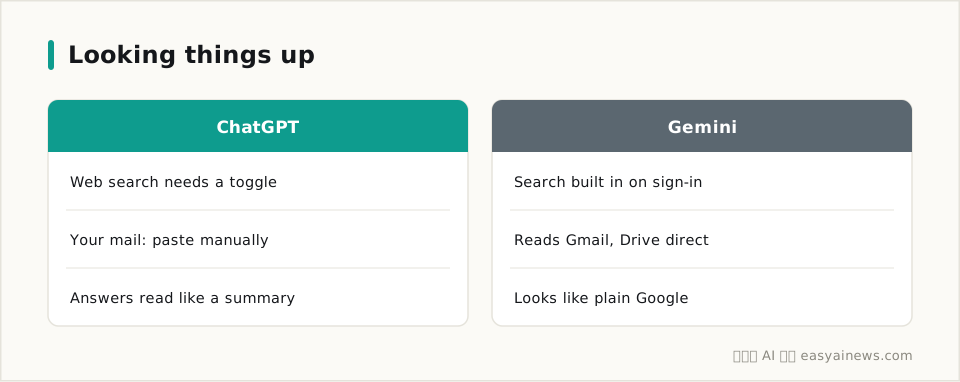
For a quick lookup, Gemini usually has a head start, since signing in with a Google account gives the free tier live search out of the box.
ChatGPT can search too. OpenAI opened web search to every user a while back, paid or not, no toggle required. In practice, Gemini's results look almost exactly like a regular Google search you already know. ChatGPT tends to take an extra step, pulling out the key points and numbers for you, so it reads more like a short summary than a page of links.
The real gap shows up when what you are looking for lives in your own inbox or drive. Gemini, being Google's own product, can read straight from your Gmail and Google Drive. Ask it whether your landlord mentioned a two month deposit, and it can dig up that exact email. ChatGPT has no such shortcut. To search your own correspondence, you have to paste the relevant text in yourself first.
Once the research is done, the next step is often writing something back, and that is where the two tools split again.
Writing Messages: Which One Is Easier to Work With
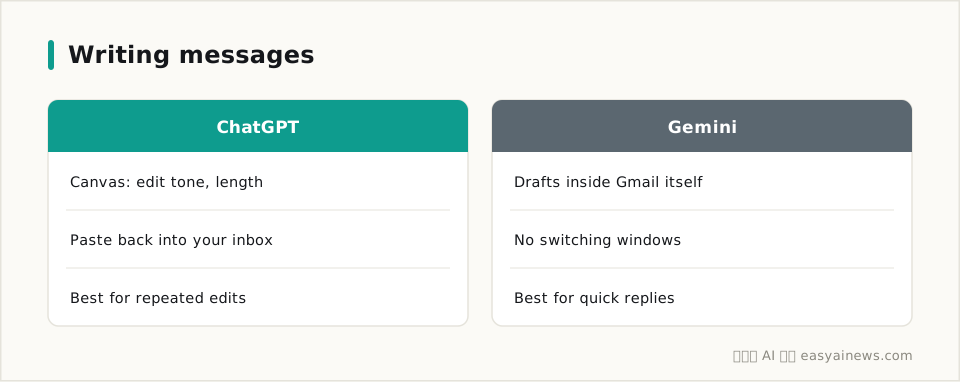
For drafting a message, ChatGPT's Canvas is easier to edit, while Gemini wins by never making you switch windows.
OpenAI describes Canvas as an interface you edit alongside, and it is free for everyone: shorten or lengthen a draft with one click, shift the tone, catch awkward phrasing, and keep refining until it reads right before you send it. For messages you tend to rewrite several times, a leave request, a polite decline, Canvas is the more comfortable tool.
Gemini takes the opposite approach. Google built it directly into Gmail, so you open a new message in your inbox, ask it to draft something, and send it from that same screen. No new tab, no copy and paste. If you already live inside Gmail for your correspondence, that difference is something you notice the first time you use it.
The message is sent, but there is another common headache: things you have written end up scattered everywhere, and that is exactly the problem organizing notes runs into.
Organizing Notes: Do They Draw on the Same Toolbox
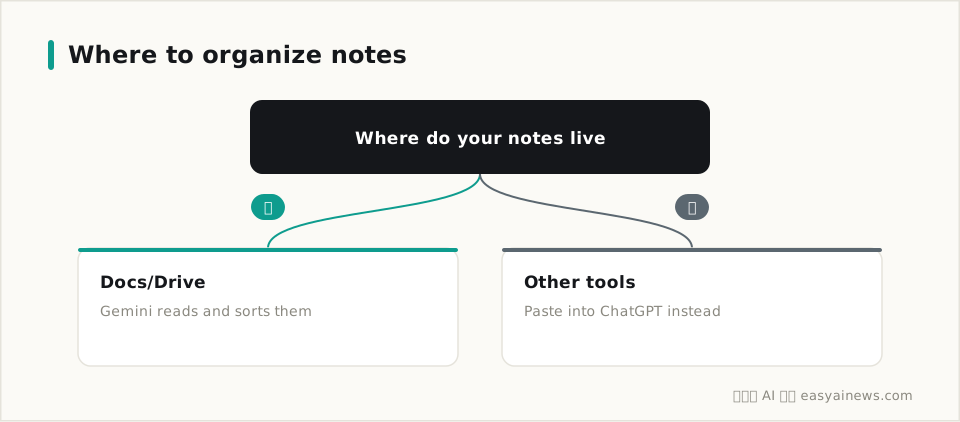
If your notes already live in Google Docs or Drive, Gemini is the more useful tool for pulling them together.
Google's own workspace blog explains that inside Docs, Gemini can reach directly into Drive, Gmail, and chat history. Whatever you already wrote or received, it can find, without you gathering the pieces yourself first. Sorting through a mess of meeting notes, key lines from old emails, and scattered notes, Gemini saves you the step of rounding everything up first, since it can already see where you keep it.
ChatGPT works from a different starting point. You need to paste your notes into the chat or upload a file before it can see anything, and it will not remember what you pasted last time unless you keep a running project open for that purpose. For anyone already settled into Word, Notion, or plain paper notes, that hand it over and let it sort approach actually feels more natural, since you never have to move house into Google's toolset.
Lay these three tasks side by side and the choice tracks the toolset you already live in more than which model is smarter. If your daily life runs on Google, Gemini's edge shows up fast. If you are still on Word and Outlook, ChatGPT will feel like the less foreign option.
You might be thinking, both keep adding features, why not just keep both installed and use whichever fits. That works fine too, but most people only have so much attention to spread around. Picking one as your main tool usually beats spreading yourself thin across both.
If You Only Remember Three Things
- Looking up something in your own inbox or drive, Gemini gets there faster; for general knowledge, either one will do.
- For messages you rewrite often, a leave request, a polite decline, ChatGPT's Canvas is the smoother editor.
- If your notes already live in Google Docs or Drive, Gemini saves you the step of gathering everything first.
- Still unsure which to pick, check which toolset you have used longer and follow that thread. It settles the question faster than any spec sheet.
Both tools keep shipping new features, so this reflects where things stand now, September 2026, and where they go from here is anyone's guess. Start with whichever feels natural, and switch later if you get curious.